VRAM Headroom Is Not a Luxury: Mapping Creator AI Workloads Against 12GB to 32GB Workstation Cards
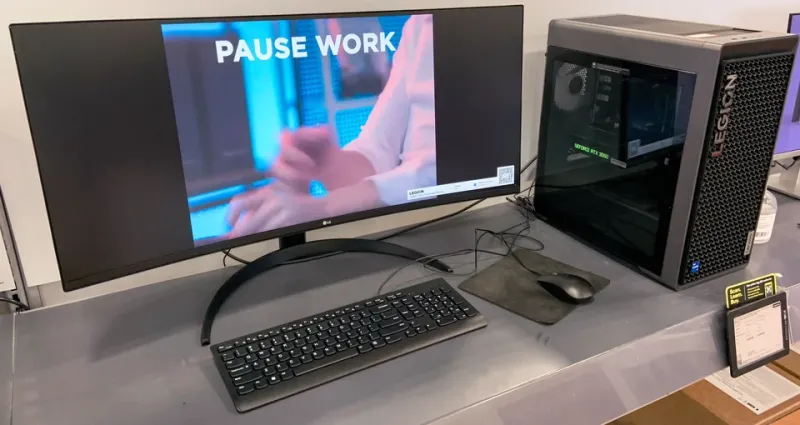
Photo: Wikideas1, CC0, via Wikimedia Commons
VRAM conversations usually start with the largest model a card can load and end with a number. Creator work is less tidy. A local assistant, a denoiser, an upscaler, and a generative fill tool can all be called AI, yet they stress a workstation GPU in different ways: some allocate a fixed model and sit on it; some process tiles and spike; some spill into system memory and slow to a crawl; some fail outright when a single allocation exceeds free VRAM. The 16GB tier is the current pressure point for US prosumers because it is widely sold as enough while sitting just below the comfort zone of several production workflows in 2026.
What actually breaks at 16GB
A hard break is an out-of-memory error, not a slow render. In practice, 16GB cards handle single-pass image generation, moderate upscaling, and local assistants in the 7B to 13B quantized range. They begin to break when several memory-hungry tasks overlap: multi-ControlNet diffusion at high resolution, 4K temporal video denoise, large 3D scene previews with AI denoising, or a local model above the 13B class. They also break when a creator leaves a browser, a color-managed review app, and a generative tool open at once. The failure is not always dramatic. Sometimes the driver spills to system RAM, and a task that took seconds takes minutes.
The tier map
| Workflow | 12GB | 16GB | 24GB | 32GB |
|---|---|---|---|---|
| Local LLM assistant, 7B-13B quantized | Tight but usable | Comfortable | Comfortable | Headroom |
| Local LLM assistant, 30B-70B quantized | Breaks | Breaks or spills badly | Workable for 30B; tight for 70B | Comfortable for 70B quantized |
| Diffusion and generative fill, single ControlNet | Constrained | Workable | Comfortable | Headroom |
| Diffusion, multi-ControlNet or high-resolution tiled upscale | Breaks | Breaks at high settings | Workable | Comfortable |
| 4K video denoise or temporal upscale | Breaks | Breaks for 4K; okay for 1080p | Workable | Comfortable |
| 3D and texture preview with AI denoise | Constrained | Workable for mid scenes | Comfortable | Headroom |
This map is directional, not a benchmark table. Model versions, quantization, tile size, driver overhead, and host RAM all move the line. The useful conclusion is structural: 12GB is an entry tier for AI-assisted work; 16GB is a single-workflow tier; 24GB is the first production-comfort tier for mixed creator work; 32GB is headroom for the largest local models and concurrent tasks.
Why capacity alone misleads
Memory bandwidth and architecture matter, but capacity decides whether a task runs at all. A faster 12GB card cannot load a model that needs 18GB without spilling. Conversely, a 32GB card does not guarantee speed if the model is poorly optimized or the host system is starved. System RAM is a safety net, not a substitute. When a GPU spills, performance can fall by an order of magnitude, and timeline work becomes unpredictable. Creators should measure peak VRAM during a full session, not at idle, and should watch for allocation spikes when switching tools or loading a new project.
A buying framework for US prosumers
Start with a short list of the three AI tasks that generate revenue. Note the resolution, the model class, and whether those tasks run alone or alongside a browser, a review app, and a render queue. Measure peak VRAM for that combination, then add 20 to 30 percent for driver overhead and the next software release. Treat 12GB as a floor for experimentation, 16GB as a ceiling for single-task work, 24GB as the practical target for mixed production, and 32GB as insurance for the largest local models. Compare price per gigabyte, but also compare total cost against the delay of a failed render or a spilled model. Do not buy 32GB for prestige if 24GB meets the measured need; do not buy 16GB for a 4K video or multi-ControlNet workflow that already shows pressure. If possible, validate the choice inside a return window with the actual project files.
The 16GB verdict
16GB is not obsolete in 2026. It is a boundary. For a US creator who runs one AI-assisted task at a time at 1080p or 2K, it can be enough. For 4K video, multi-ControlNet image work, or local assistants above the 13B class, 24GB is the more honest starting point. The right purchase is the smallest tier that survives the workflow with measured headroom, not the largest tier that fits the budget.